THE SERVKORU AI TEAM

Three agents. Three roles. One service experience.

AI assistance for the people requesting services, the teams delivering them and the administrators designing them.

FOR EMPLOYEES

Self-Service Assistant

Help employees find relevant knowledge and services, understand what to request and get support in natural language.
  • Permission-aware knowledge answers
  • Service catalogue discovery
  • Guided request creation
Meet Self-Service Assistant
FOR IT TEAMS

Agent Assistant

Work with ticket context, accessible knowledge and selected Microsoft tools, while keeping the authorisation of each action visible.
  • Ticket and user context
  • Microsoft 365 information & tools
  • Confirmed actions with an audit trail
Meet Agent Assistant
FOR SERVICE ADMINISTRATORS

Service Designer

Turn a service idea into a structured form and supported process draft. Review the proposal before making it available to employees.
  • Natural-language requirements
  • Form, routing & process drafts
  • Human review before publication
Meet Service Designer
SELF-SERVICE ASSISTANT

Help starts with a conversation.

Help employees find relevant knowledge and services, understand what to request and get support in natural language.

  • Permission-aware knowledge answers
  • Service catalogue discovery
  • Guided request creation
Request creation follows catalogue and confirmation rules. Enabled tools and signed-in identity determine what is available.
Explore this agent in a demo
Employee service portalCurrent product interface
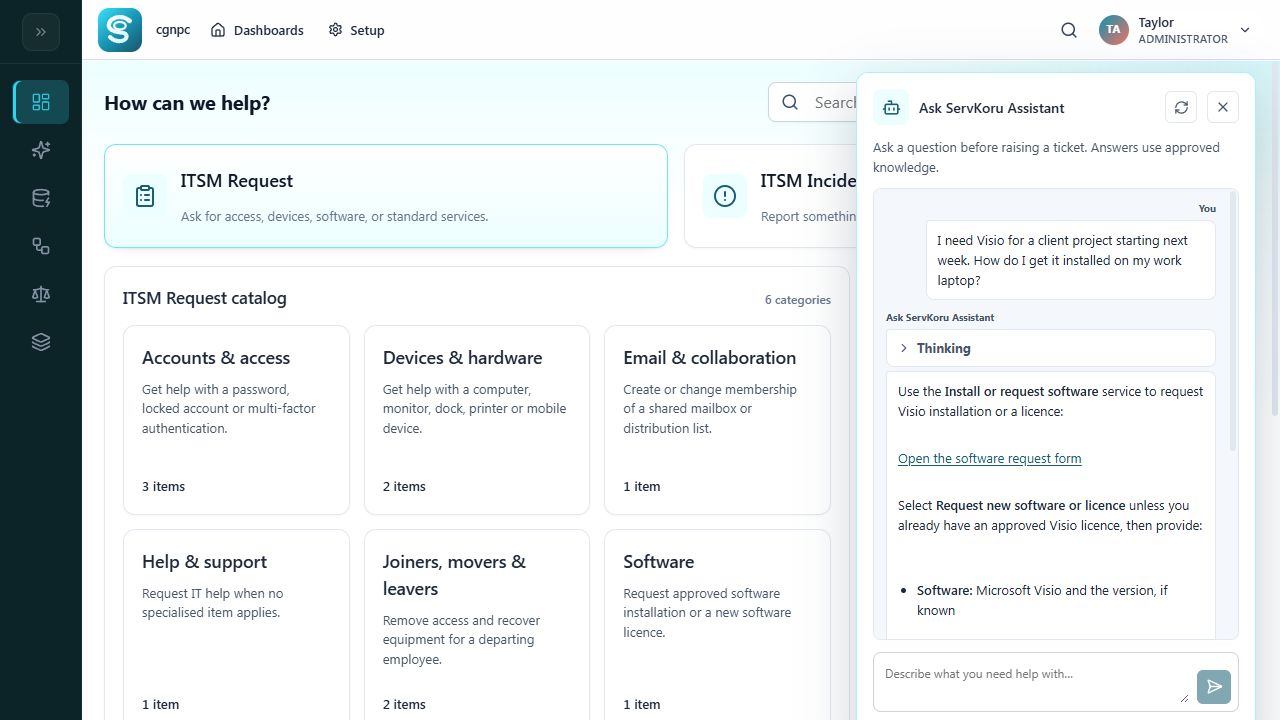
Employee asks for Visio for a client project and the AI assistant links to the software request service
ServKoru product interface. Configuration varies by organisation. Select image to enlarge.

How it fits into the work

  1. Ask a question in your own words
  2. Find accessible knowledge or the relevant service
  3. Provide the information needed for the request
  4. Continue through the configured service process
AGENT ASSISTANT

The context to understand. The tools to act.

Work with ticket context, accessible knowledge and selected Microsoft tools, while keeping the authorisation of each action visible.

  • Ticket and user context
  • Microsoft 365 information & tools
  • Confirmed actions with an audit trail
Tools must be enabled and authorised. Microsoft admin consent and, for some operations, scoped Exchange permissions are prerequisites.
Explore this agent in a demo
Agent AssistantCurrent product interface
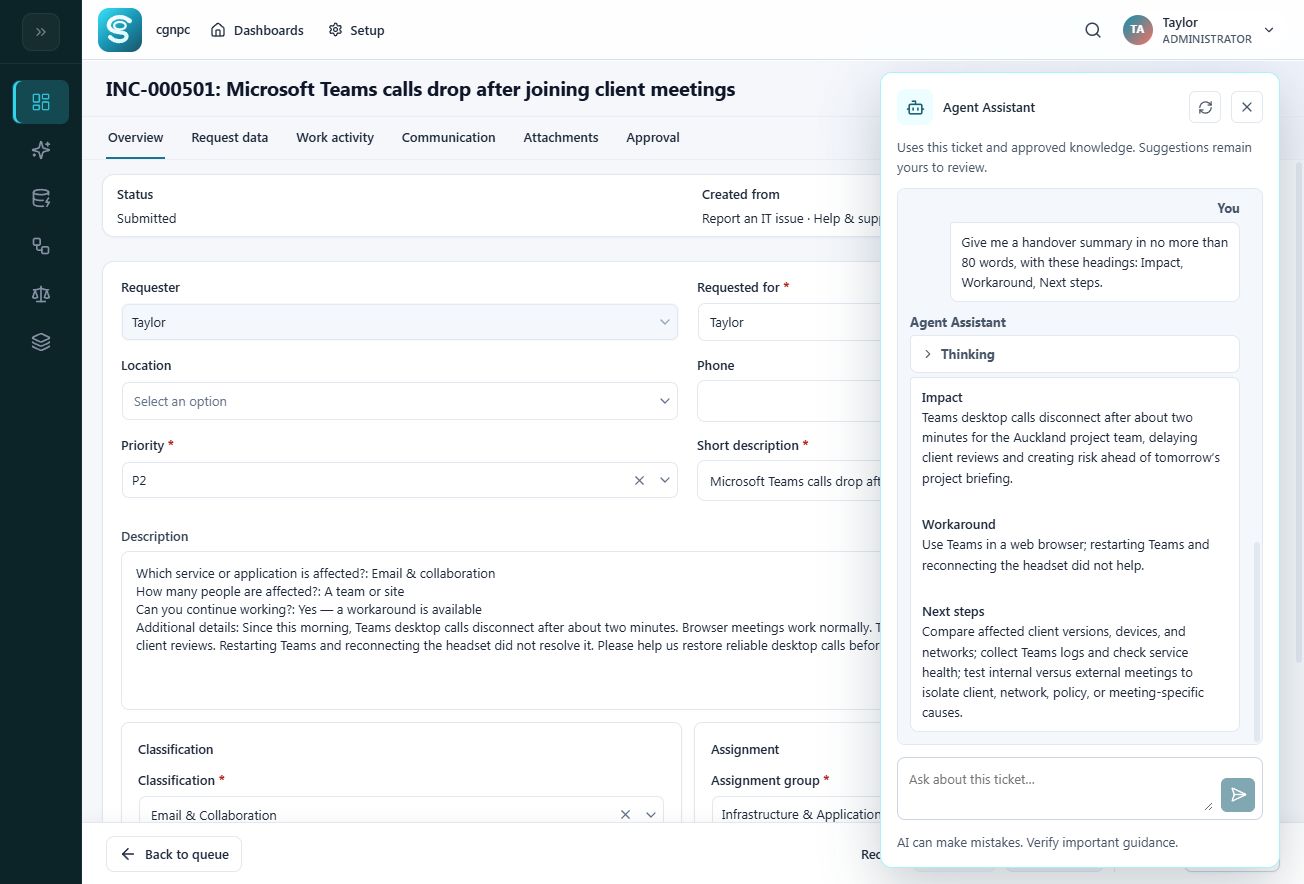
Teams calling incident with Agent Assistant summarising business impact, workaround and diagnostic steps
ServKoru product interface. Configuration varies by organisation. Select image to enlarge.

How it fits into the work

  1. Open the request and its user context
  2. Retrieve relevant information and accessible knowledge
  3. Inspect the selected operation and confirmation card
  4. Confirm the action and review the recorded result
SERVICE DESIGNER

Describe the service. Review the draft.

Turn a service idea into a structured form and supported process draft. Review the proposal before making it available to employees.

  • Natural-language requirements
  • Form, routing & process drafts
  • Human review before publication
Custom designs currently support human steps, one approval stage and completion. Multiple independent approvals, timers and parallel execution are outside this agent’s supported design scope.
Explore this agent in a demo
Service DesignerCurrent product interface
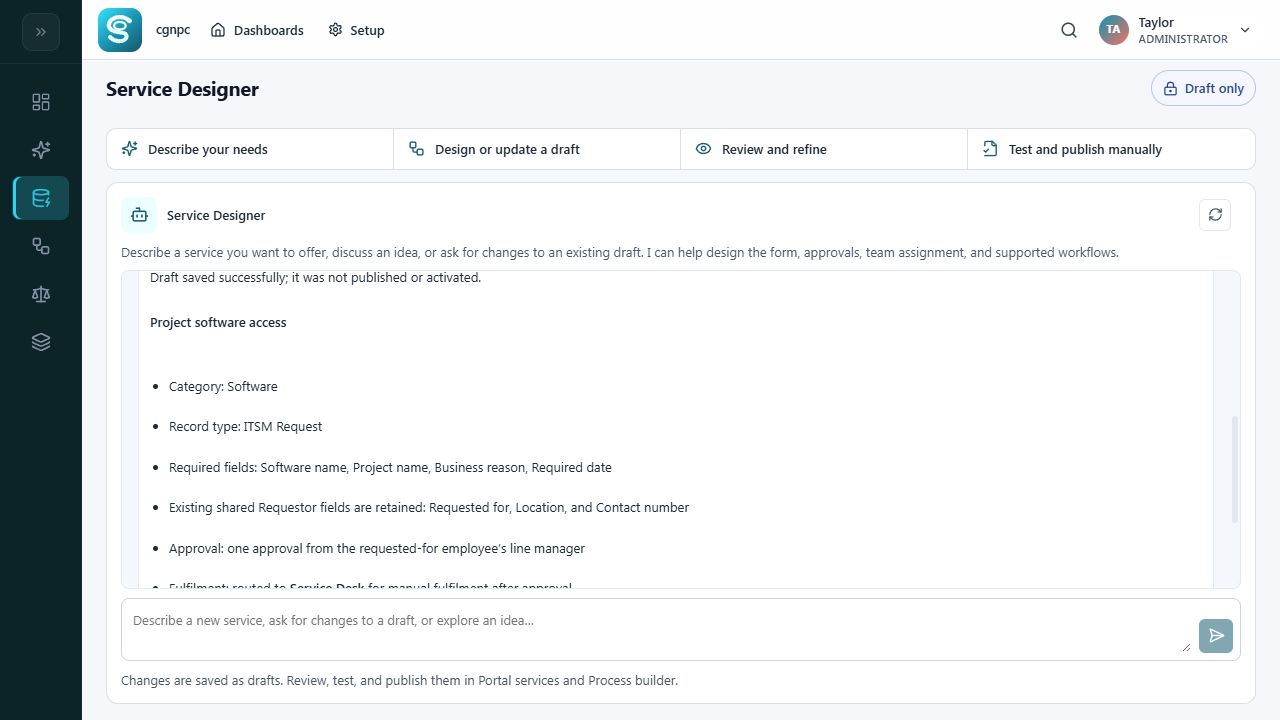
Service Designer saves a Project software access draft with required fields and manager approval
ServKoru product interface. Configuration varies by organisation. Select image to enlarge.

How it fits into the work

  1. Describe the service and who needs it
  2. Clarify fields, routing and approval requirements
  3. Review the proposed form and process
  4. Save the draft, then review, test and publish manually
Each agent serves a different role. This is not a claim of autonomous delegation between agents or unattended end-to-end fulfilment.
YOUR TEAM. YOUR WORKFLOW.

See what AI-assisted service could look like for your team.

Book a demo and explore a free three-month trial for your IT team.

Book a demo